Editor
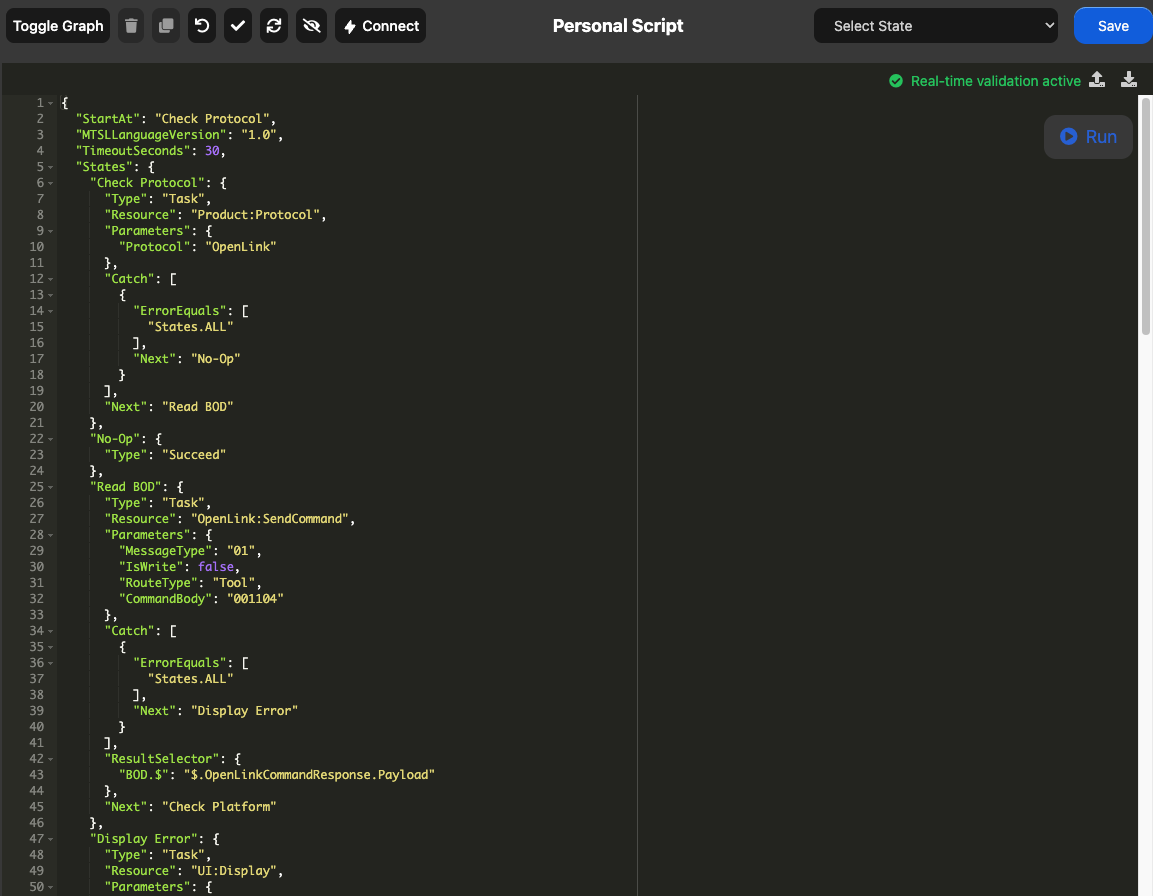
This is the main window of the MTSL editor. It shows the current script in either a graphical way or via the JSON in the code editor.
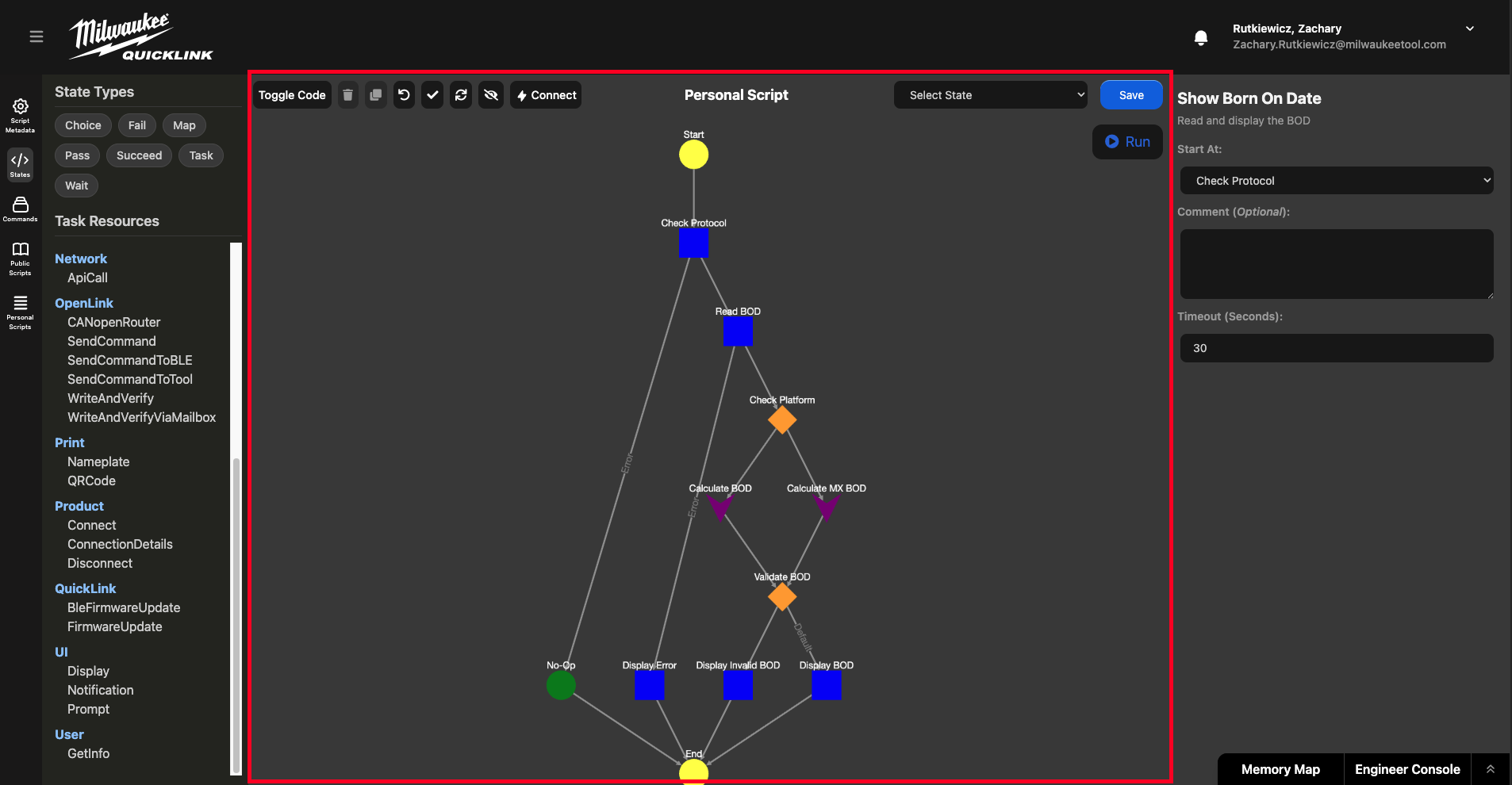
Graph
Allows states to be dragged and dropped from the left side bar or be moved around visually. Best for seeing control flow in the script.
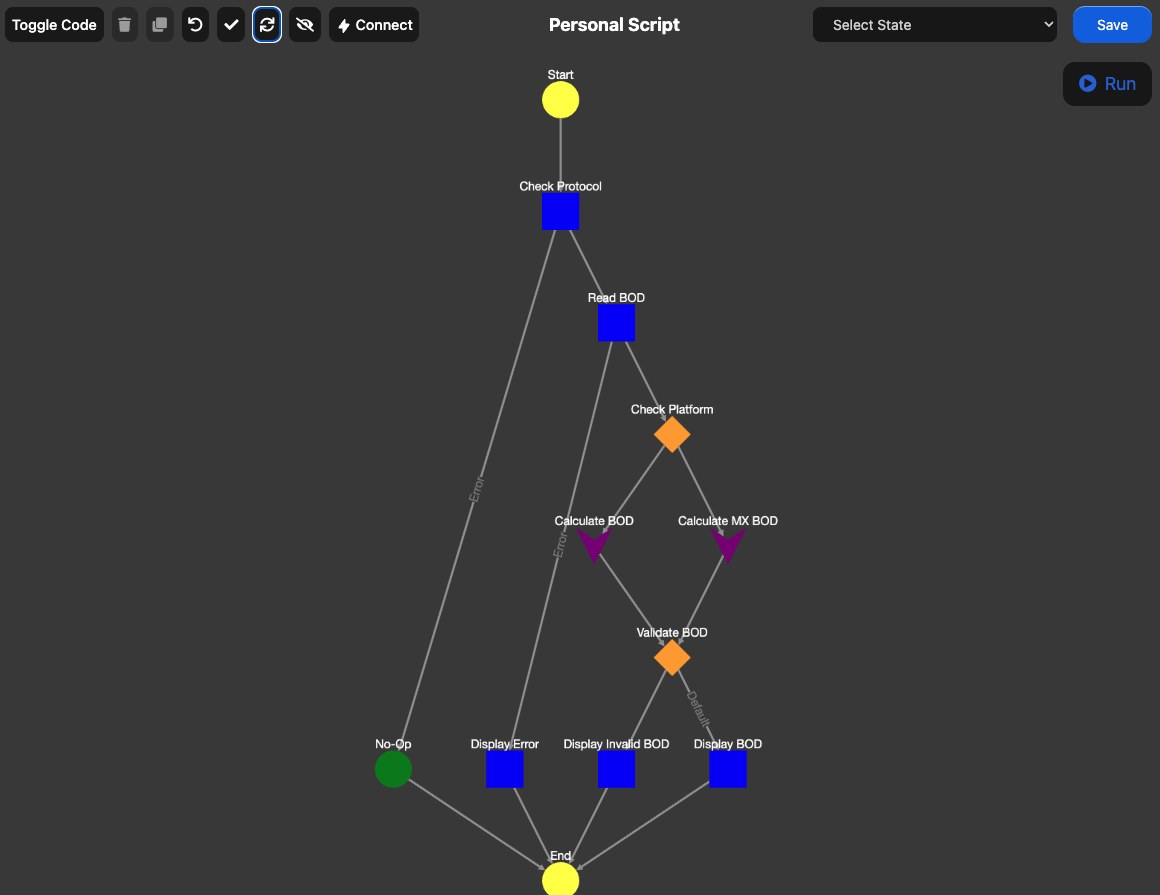
Each state type has an specific shape and color in the graph editor to easily distinguish between them.

Code
Displays the raw JSON associated with the current script. This is the most efficient way to work with MTSL scripts but can be complicated and lengthy given the complexity of the script. Allows scripts to be downloaded as a txt or uploaded as a txt as well.